

Referee Mode is SET’s interface for referee drawing — assigning officials to matches by drawing them against a configurable chain of impartiality rules, so no referee judges a bout involving their own club, region or nation.
The Golden Rule — match the filters to the event
The defaults are set for a national event. An international event needs more.
Out of the box only Competitor’s club and Different club are active, because at a national event every competitor and every referee shares a nationality — a nationality filter would exclude the whole panel. Club is the meaningful separation domestically. On an international event, turn Competitor’s nationality on before you draw anything.
Contents
01 Getting into Referee Mode
A login mode
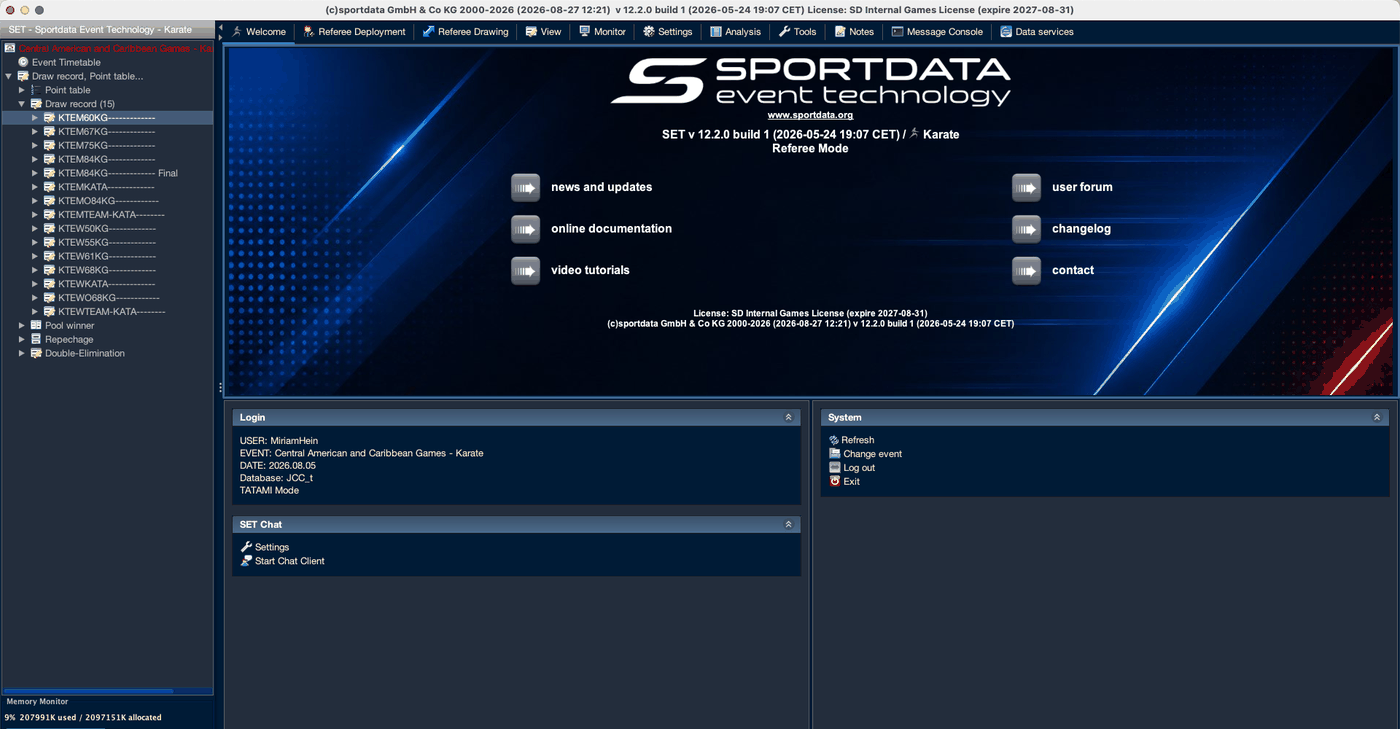
Referee Mode is chosen at sign-in, not from a menu. Log out of Administration Mode and select it when logging back in.
02 Build the deployment
Area · day · session
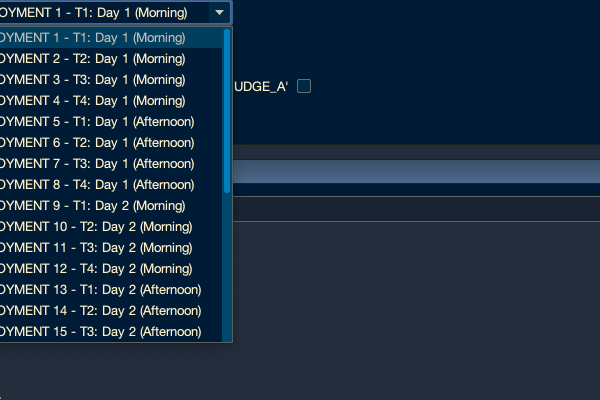
A deployment is one match area, on one competition day, in one session. SET generates the full set automatically — the total is areas × days × 2.
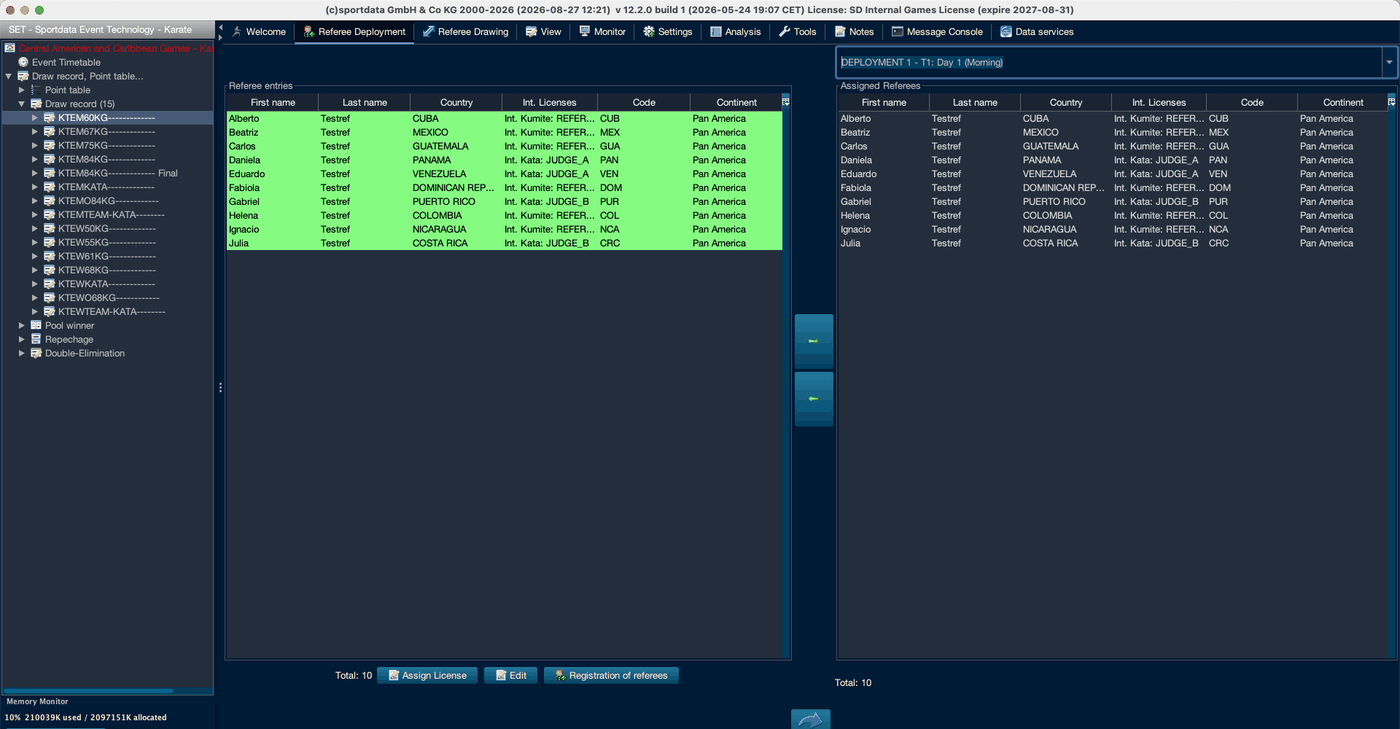
| Button | Purpose |
|---|---|
| Assign License | Sets a referee’s international licence — what the licence filter reads |
| Edit | Edits the referee entry |
| Registration of referees | For referees not yet in the event |
Panels → Import → Import Coach, Referee, Official Entry takes a semicolon-separated UTF-8 CSV. Column 13 carries the international licence and column 18 the region — both used by the filters.
03 Configure the draw
Settings
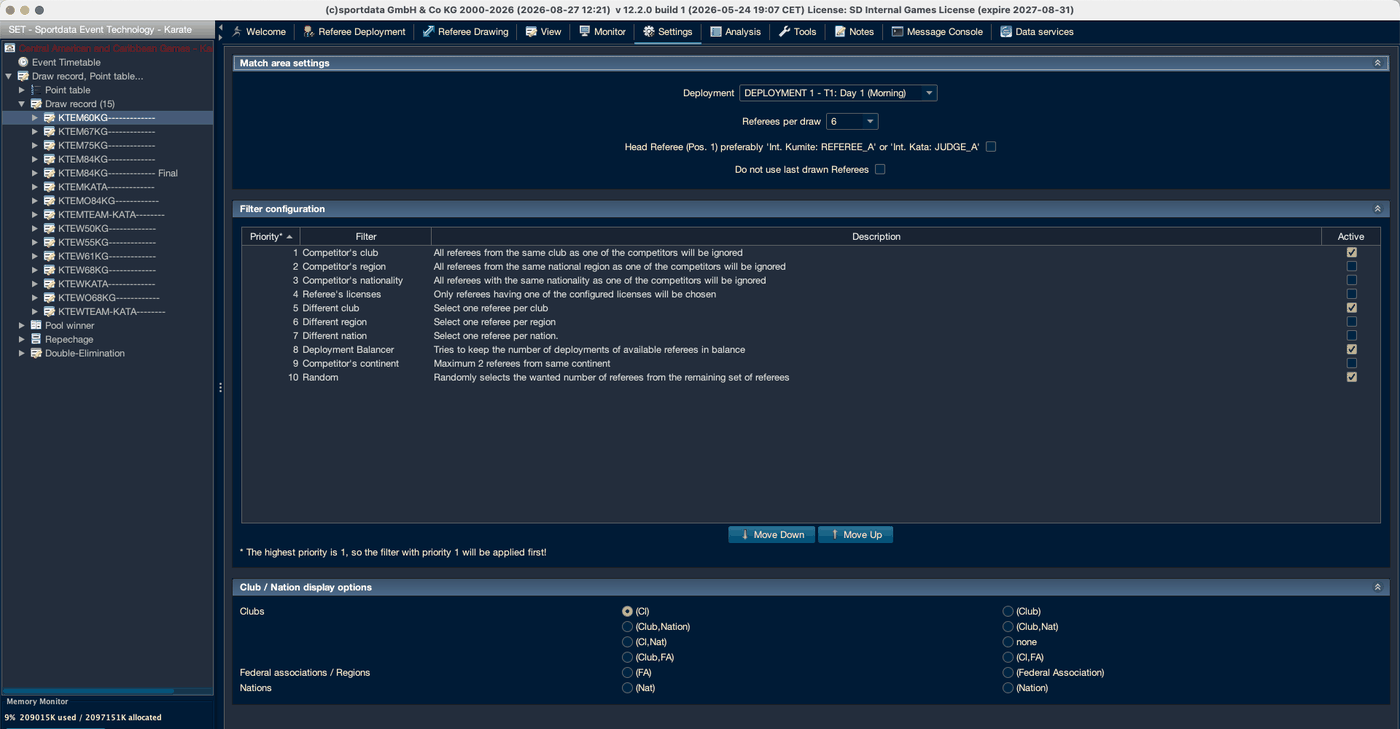
| Setting | Notes |
|---|---|
| Deployment | Settings are per mat and session |
| Referees per draw | Panel size. Six by default |
| Head Referee (Pos. 1) | Puts a suitably licensed referee in position 1 — Int. Kumite: REFEREE_A or Int. Kata: JUDGE_A |
| Do not use last drawn Referees | Stops consecutive matches getting the same panel |
The filter chain
Each filter removes referees from the available set; whoever remains goes into the random selection. Priority 1 applies first — a filter can only exclude referees still in the set when it runs.
| Priority | Filter | Effect | Default |
|---|---|---|---|
| 1 | Competitor’s club | Ignores referees from the same club as a competitor | On |
| 2 | Competitor’s region | Ignores referees from the same national region | Off |
| 3 | Competitor’s nationality | Ignores referees of the same nationality | Off — turn on for international events |
| 4 | Referee’s licenses | Only referees holding a configured licence | Off |
| 5 | Different club | At most one referee per club | On |
| 6 | Different region | At most one per region | Off |
| 7 | Different nation | At most one per nation | Off |
| 8 | Deployment Balancer | Keeps deployment counts level | On |
| 9 | Competitor’s continent | Maximum 2 referees from the same continent | Off |
| 10 | Random | Selects the required number from those remaining | On |
It is what makes the draw a draw rather than a selection.
At a national championship the competitors and the referees are all of one nationality. Switching that filter on would leave nothing to draw from. Club and region are what separate people at a domestic event; nationality and continent matter once the entry list is international.
Above that SET warns that the monitor view has too little space and the layout breaks.
04 Draw the referees
Drawing tab
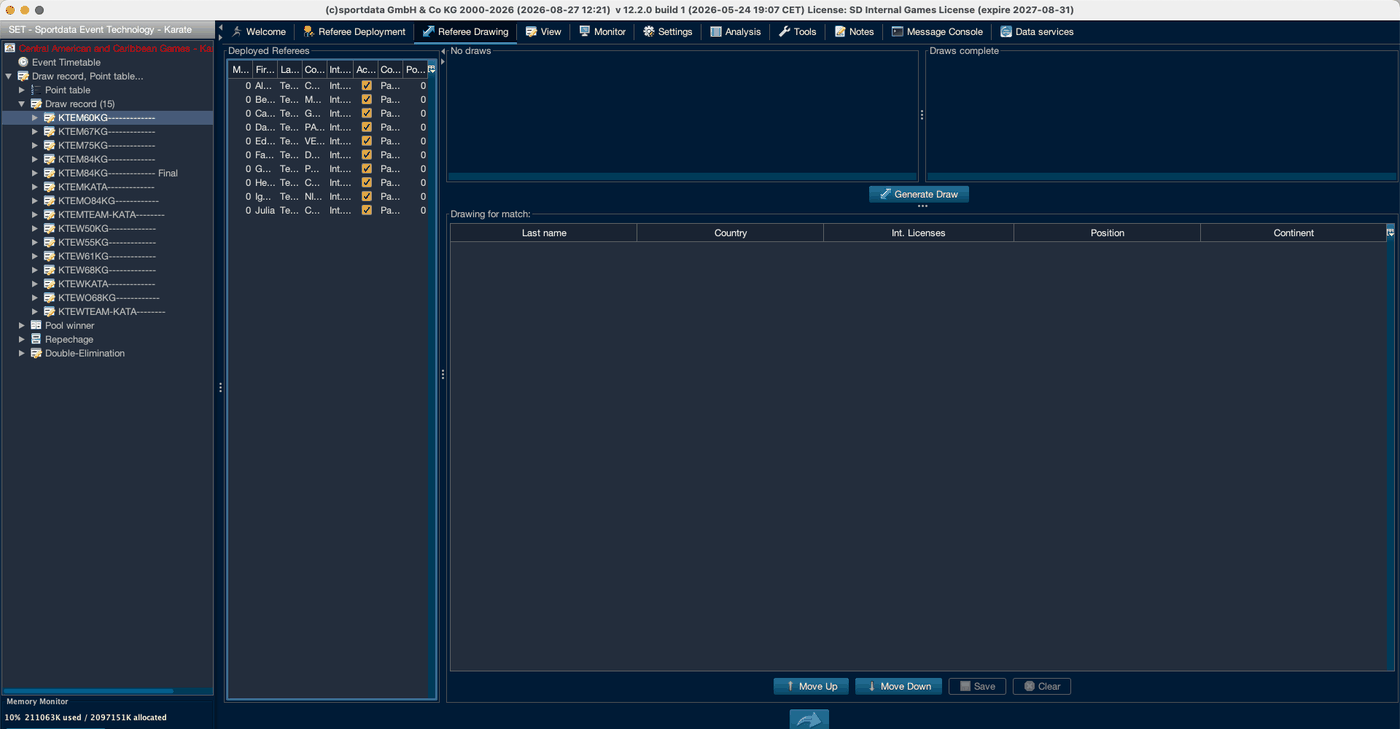
The circular arrow at the foot is Refresh Matchlists. Deployed Referees stays empty until you press it, even after assigning referees.
Move Up and Move Down order the panel — position 1 is the Head Referee. Save commits the draw; Clear empties it. A completed draw can be shown on the monitor, edited or deleted.
SET guards the obvious mistakes: it warns if a referee is already assigned, if a referee is not active, if a draw already exists, and if you leave with unsaved changes. Where your filters would exclude a referee you picked by hand, it asks whether to continue anyway — an override, not a block.
05 The monitor
At the mat
06 Documents
Analysis tab
| Document | Contents |
|---|---|
| Deployment | The roster per deployment — code, name, commission, country |
| Session Referee/Judge Assignments | Who is assigned to which session |
| Referees – Number of Bouts Statistics | Workload per official, with Judge, Referee and Bouts columns |
| Video Review Statistic | Protest requests and outcomes |
The Deployment Balancer works to level those counts; this report is how you show that it did. Take it at the end of each session. It needs a referee selected first.
Draw forms print from reports/refereedraw/ — single match forms for kata and kumite, batch versions, a multi-match form, the deployment and match statistics. Each blank form carries the court number, pool, date, field position, both competitors and eight numbered referee positions.
Applies to SET 12.2.0 (build 1, 2026-05-24).